[Starship Modeler's 17th on-line modeling contest: Battlestar Galactica]

Contest Rules | Entries | Home

Colonial Viper

Sponsorship opportunities available ------ Ask us about them!


by Matthew G. Crane

Scale: 1/32

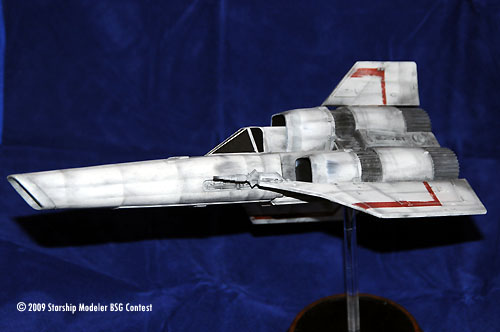
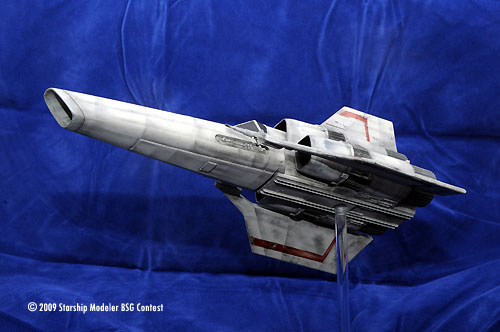
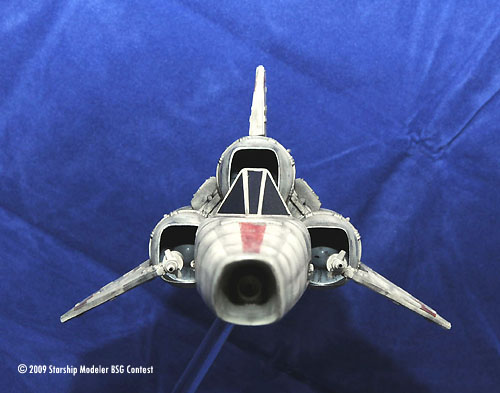
This is the reissue of the Viper from the 90's and yes if you had one of the originals (like I did) you can still see the molded in parts where the company had set it up to fire plastic missiles. The construction was straight forward, I used putty on any seams and sanded as needed. I did add a strip on the bottom of the fuselage to cover the hole where the old missile firing hole was. I also had to add another strip to the top of the fuselage to replace a raised plate that I sanded off. I dug through my parts box and found part of and old x-wing cannon to plug the nose cone with as this was where the missile was fired from.

As I was building the Viper I decided not to glue the fuselage to the engine section, this makes for easier transport. As this point I decided to mount the ship on the clear rod. I did not want to go with the typical display of level flight so I cut the rod an 45 degrees an drilled the hole through the bottom of the ship. I did have to use some sheet styrene to cover up the area around the mounting hole as I had to do a bit of carving to get the clear rod to set at the proper angle. Once the super glue was set and I had dug out an old base from an ebay purchase, I mounted everything and set about painting.

Painting

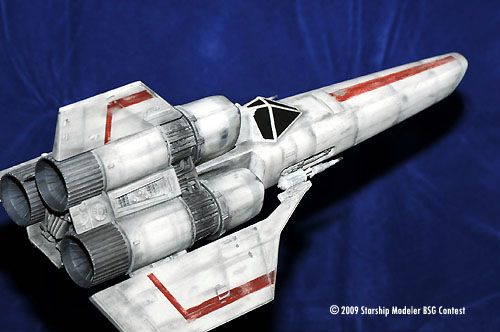
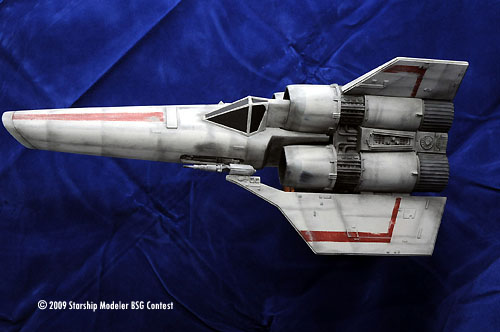
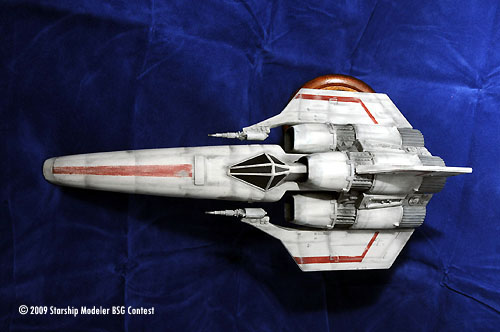
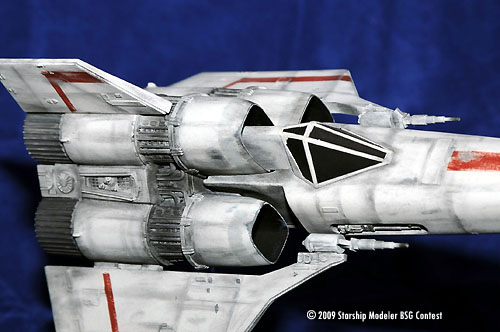
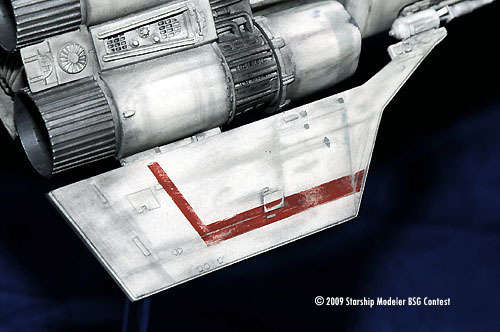
The base coat is camouflage grey, I think this makes for a good color for most space ships. The gray stripes around the engine intakes was taped off and sprayed with light sea gray as was the nose cone. I also painted the inside of the intakes flat black. I used regular gray for the engine fronts with a black wash.

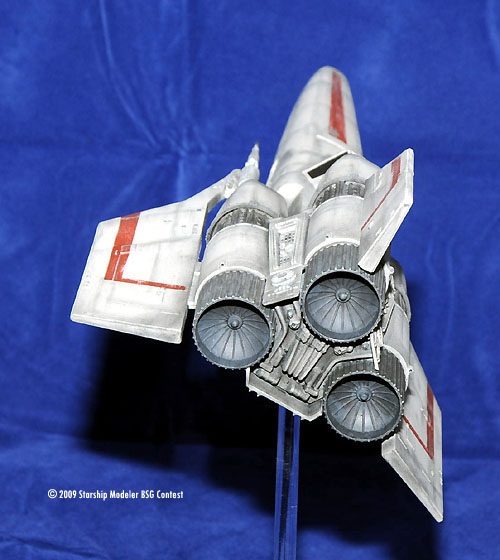
For the rear of the engines I used a combination of metalizer exhaust on the outside and metalizer burnt iron for the inside and applied a black wash. The red strips were also taped off and sprayed with a red primer. Once everything was dry I took sand paper to the red and gray stripes to simulate wear and tear. Some of the dark areas around the intakes was where I sanded to much and went through the paint down to the plastic, however I was able to use it to add to the worn look of the fighter. Once I was happy with the paint I applied the only decals to the model which are the ones for the cockpit windows. From there I moved to weathering.

Weathering

This is my favorite part of doing space models. You don't have to be accurate. I used mostly black chalk with a bit of gray mixed in from time to time. Since the model was designed to be in two parts I did one at a time. For the fuselage I use an eraser shield held against the hull to denote panel lines and streaked the chalk back to give it more of an inflight look. When I was happy I dull coated everything and moved to the rear of the ship. The rear was pretty much a repeat of how the front was weathered. The laser cannons were the last thing to go on, I did cut off the barrels and replace them with brass tubing for a better look.

This is a simple model to put together, it is the paint and weathering that do the trick.

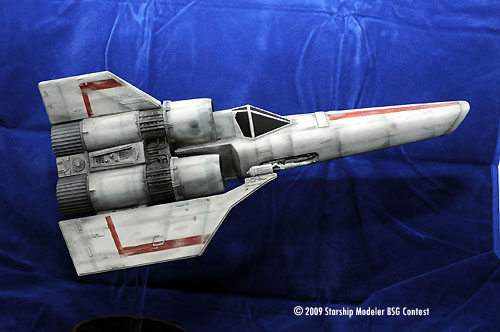
Image: Left side

Image: Top

Image: Front

Image: Right side

Image: Rear view

Image: Cockpit

Image: Starboard wing

Image: Left/rear


Go back up | Starship Modeler Home | Site Map | Feedback

This page was last updated 31 January 2009. © 2009 Starship Modeler